

Modern websites no longer require users to click everything to create an interactive experience. Some mouse-responsive websites react the moment your cursor changes position. Instead of waiting for input, these websites respond instantly, and it will create a bond between you and the screen. This removes friction completely. The thing is, you’re not navigating anymore, you’re influencing what happens. This is the main reason why websites that react to the cursor are becoming more engaging and interesting.
Table of Contents
What Makes These Websites Unique?
The current scenario is that most websites depend on clicks or scrolling, but cursor interaction works differently. The moment when your mouse moves, something reacts as a visual shift, particles move, or the system responds in real time. This will help to build a good relationship between the user and the screen.
- Real-time response with no delay
- Mouse interaction on websites feels more natural
- Visual feedback increases engagement
- Often powered by WebGL websites and physics-based effects
These websites that respond to mouse movement create a loop where users keep moving their cursor to see what will happen next. In this blog, we will cover some of the best cursor-based websites.
Websites That React to Your Cursor in Real Time
1. Fluid Simulation
Visit: https://paveldogreat.github.io/WebGL-Fluid-Simulation/
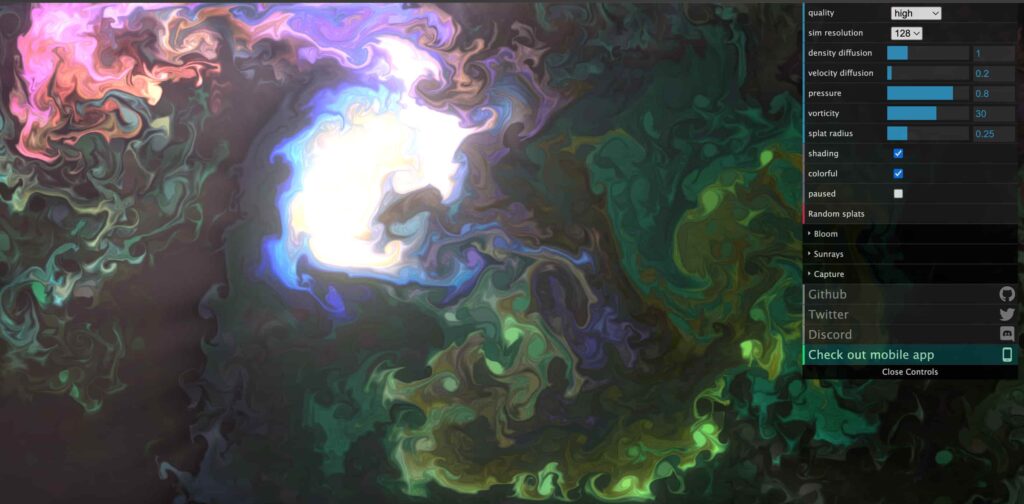
This is one of the best examples of cursor effects websites built using physics. If you love physics, this one is for you. As you move your mouse, the fluid reacts instantly, flowing, mixing, and spreading based on your cursor. Sometimes it feels like you’re directly controlling liquid with your cursor, which makes you feel comfortable and relaxation.
The experience shows how physics-based effects combined with real-time cursor response can creative something illusion without any single click. It’s simple, but extremely satisfying.
- Fluid follows your cursor movement in real time
- Colors blend and react dynamically
- Movement creates natural physics-based flow
2. Tholman Cursor Effects
Visit: https://tholman.com/cursor-effects/
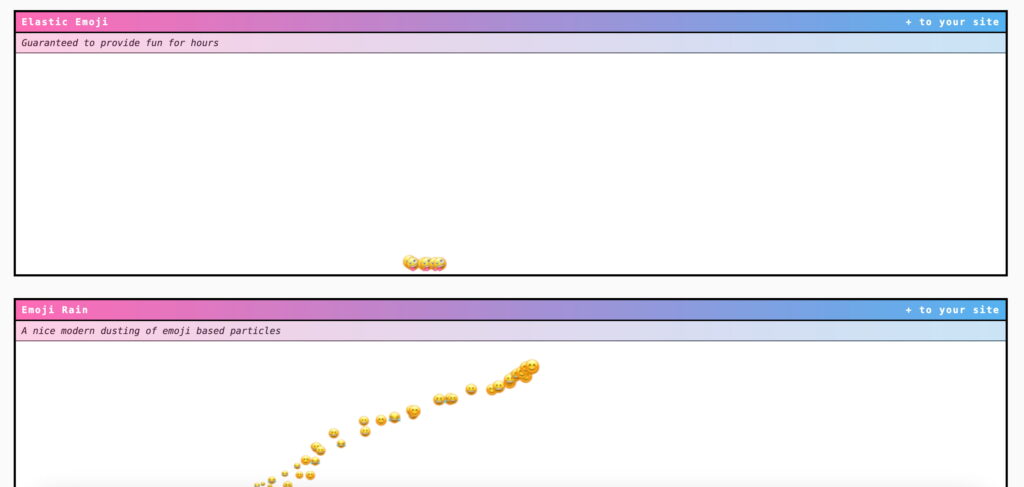
This site demonstrates multiple cursor movement effects in one place. Instead of focusing on one interaction, this site gives multiple variations that react based on your mouse.
Each variation shows how mouse interaction on websites can feel completely different by changing cursor movements. It’s one of the strong example of browser experiments where the main role was the cursor.
- Cursor leaves dynamic trails.
- Objects follow your movement
- Visual elements react instantly
3. Sandspiel
Visit: https://sandspiel.club/
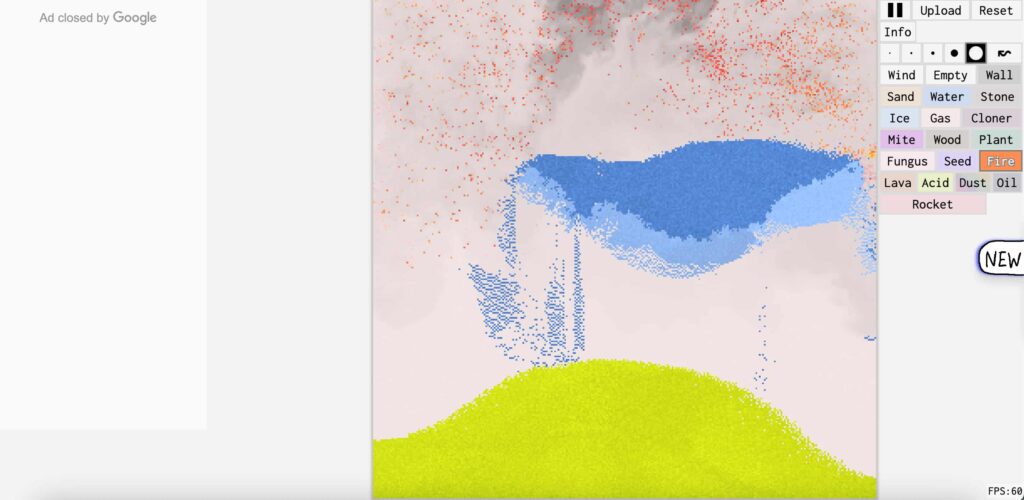
Actually, this site is very interesting, you may seems its just a sand based websites But every movement generates particles like sand, water, or fire, and the best thing is they will interact with each other in real time. If you love some science-based websites, then this one is for you.
This is a great example of generative art websites, particle simulation website concepts, and mouse tracking effects working together. An example I can give is when you put fire in the box, then inside that split some water, what happens in real life, obviously, the fire will be gone. This was exactly what the website does. Using these websites makes me get more information scientifically.
- Cursor creates and controls particles.
- Elements interact like real-world physics
- Every movement changes the environment
Why These Websites Feel So Engaging
One of the main reasons these cursor interaction websites work so well is simple: they respond instantly. When I use these, I got immediate reaction that will stay longer on these websites.
Move cursor → see reaction → feel curious → continue exploring
Instead of navigating, you’re interacting directly with the system.
Frequently Asked Questions (FAQ)
What are mouse-responsive websites?
Mouse-responsive websites are websites that react instantly to cursor movement, without requiring any login or clicks.
Why do websites react to cursor movement?
These websites that react to cursor use real-time feedback to increase engagement and make the user spend more time on the website.
Are these websites built using WebGL?
Yes, most of them use WebGL websites, shaders, and physics-based systems to create smooth and responsive effects.
Do cursor-based websites improve user experience?
Yes, when I used it properly. Mouse interaction websites can increase engagement, but one must know that it should be balanced to avoid confusion.
Final Thought
Nowadays, many users need this level of interaction, but when done right, it completely changes how users experience the web. These mouse-responsive websites show how simple cursor movement can create this type of creative system. If you’re looking for interactive website with real example then this site is perfect for you.
From cursor effects websites to generative art websites, the web is evolving into something more responsive and alive.

Asif BC is a web developer with 2 years of professional experience in website development and modern web technologies. As the creator of Curiouxify, he researches and writes about interactive websites, internet history, browser experiments, digital culture, and the evolution of the web. His articles combine technical knowledge with careful research to document the creative and lesser-known corners of the internet.